Agents that know your documents the way your experts do
Standard RAG retrieves passages one at a time, so agents miss the exception two sections away or the related policy in another file. BRAG maps how your documents connect, so your agents answer completely, show their sources, and prove the improvement in your own evaluations before they ship.
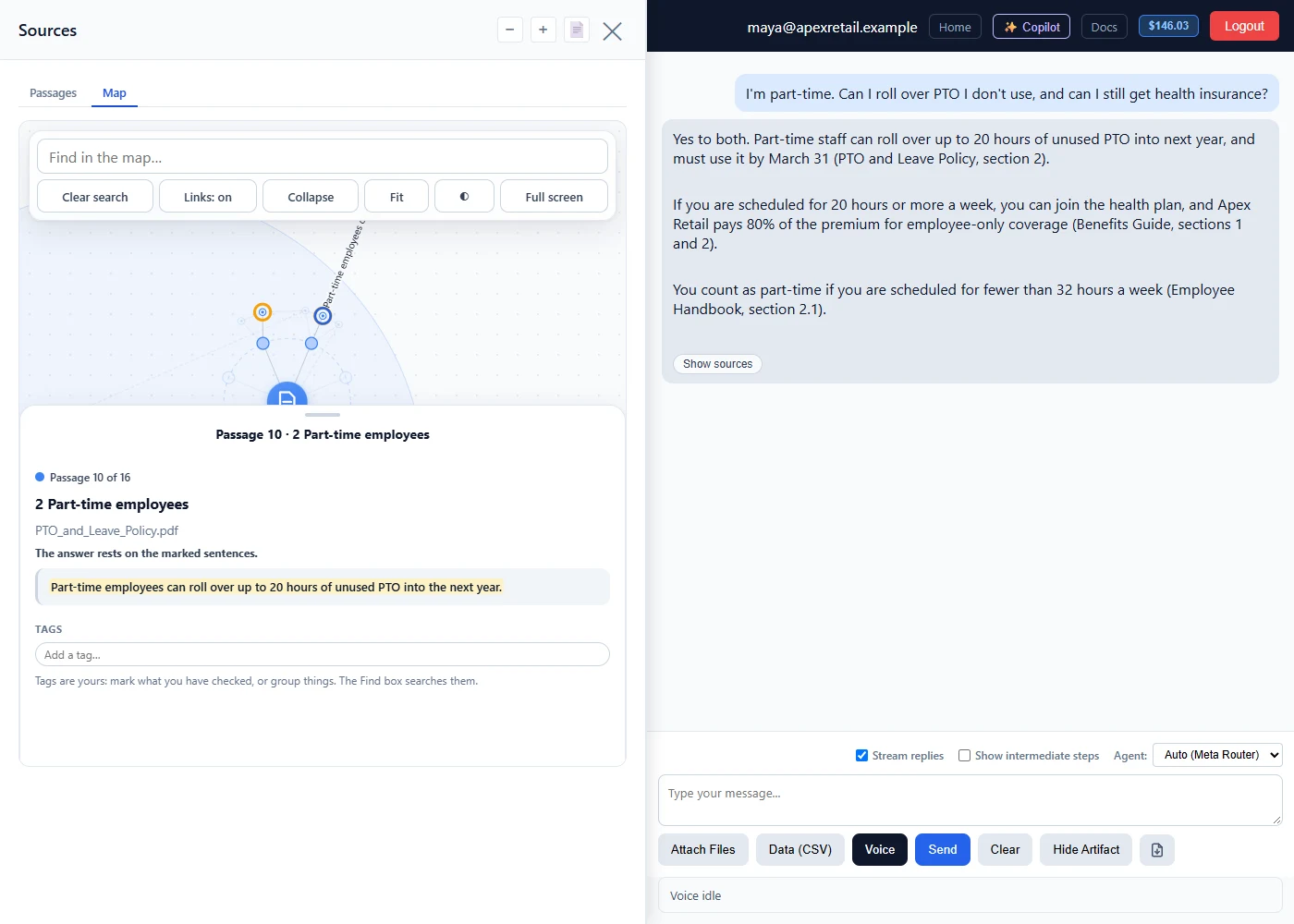
Answers that connect the dots across your documents
Maps how your content connects
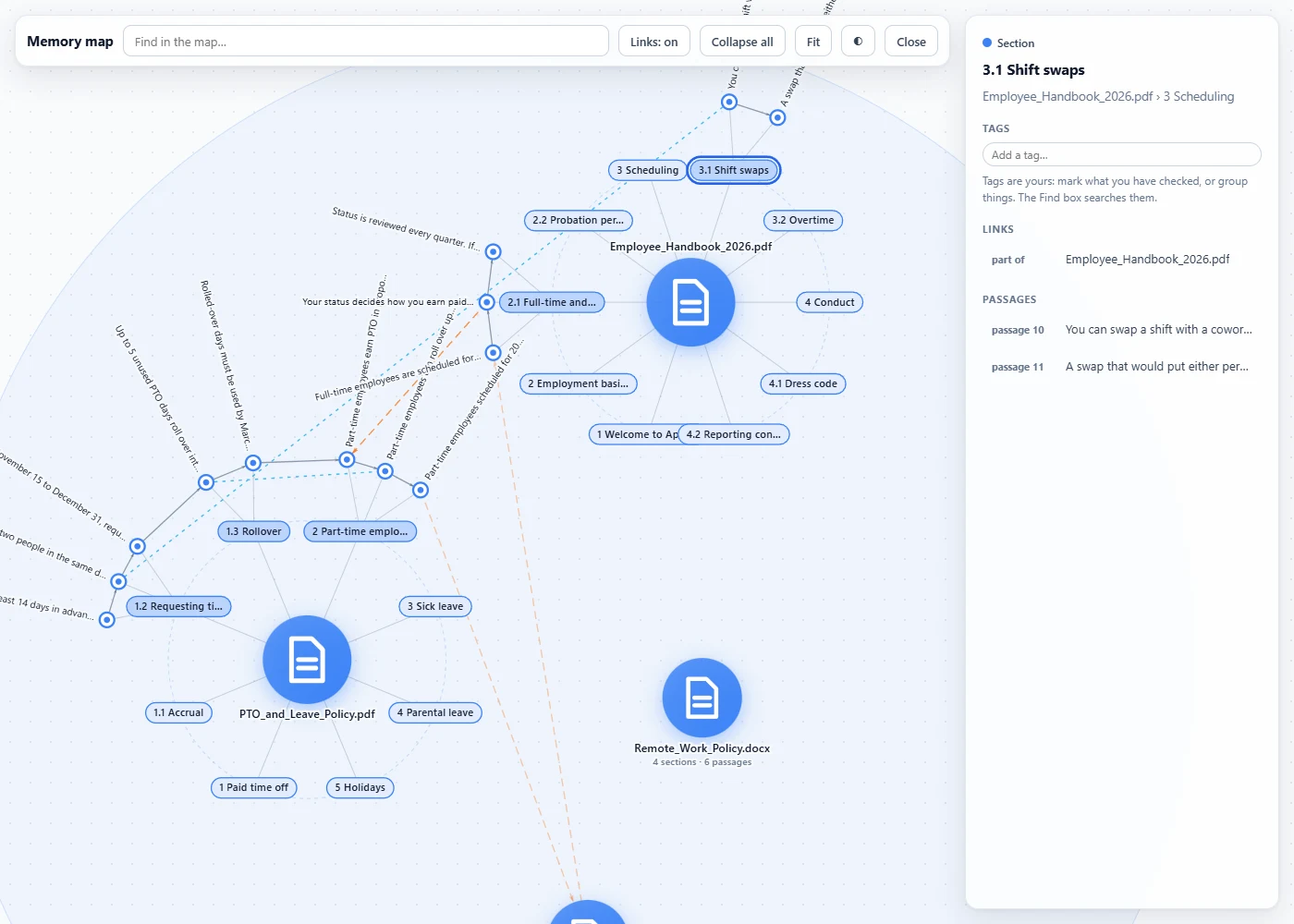
When you index a collection, BRAG links related sections and passages across every document in it. No tagging, no setup.
Retrieves the whole answer
When a question touches a rule, its exception and a related policy, BRAG follows those links and brings them into one reply, instead of the single closest passage.
Shows every source
Each reply links to the documents behind it, with the supporting sentences highlighted, so your experts can check it quickly.
Know BRAG improves your agent before you ship it
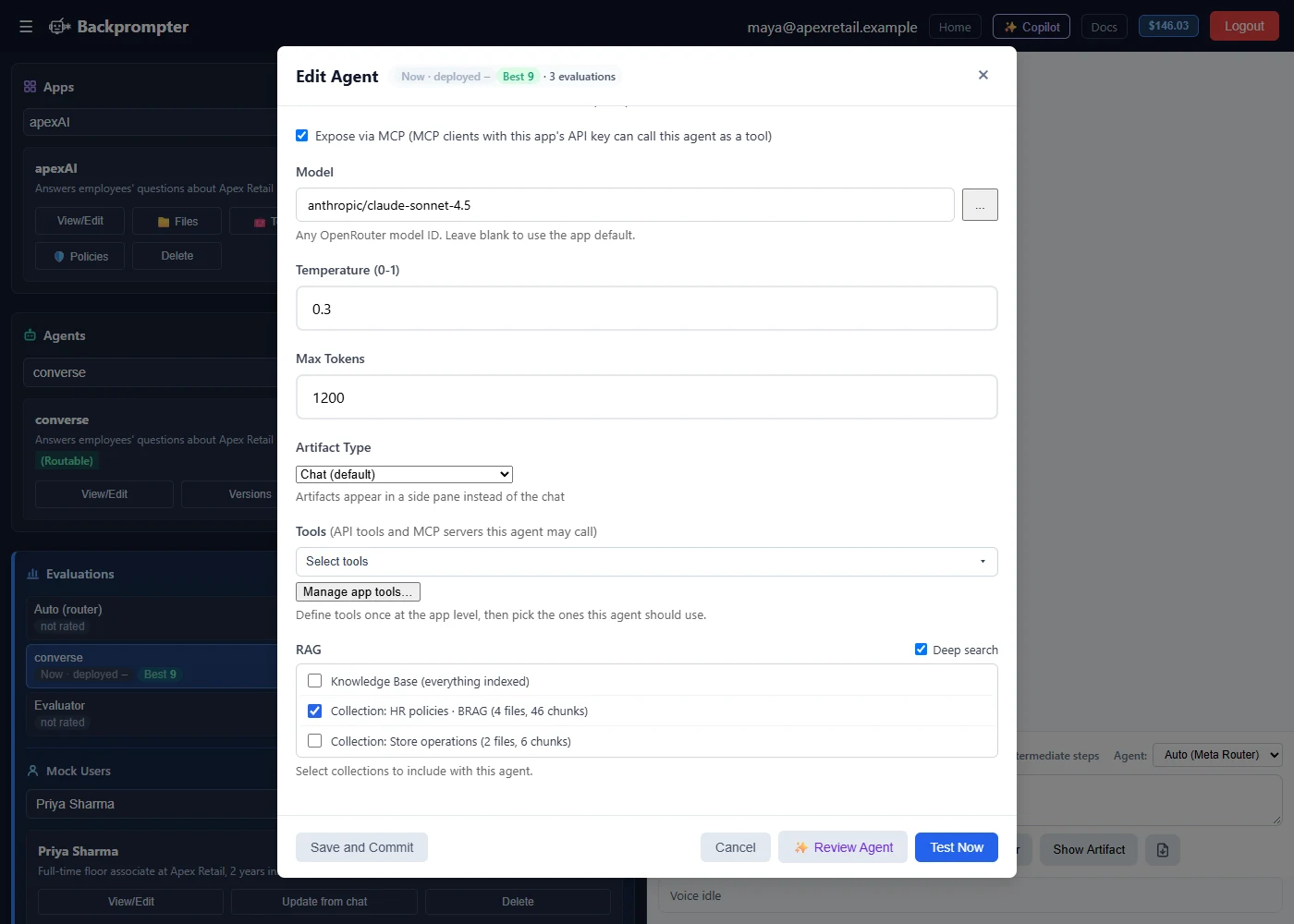
Most RAG upgrades are taken on faith. In Backprompter, turn on Deep search for an agent, then run the same batch evaluation with it on and off. The same simulated users ask the same hard questions, the same evaluator scores both runs, and you see side by side where answers became more complete and better grounded, and how response time compares.
- Find the questions where single-passage answers fall short, and see whether BRAG closes the gap.
- Turn Deep search on only for the agents where it scores better, and keep standard search everywhere else.
- Re-run the comparison whenever your documents or prompts change.
See every connection BRAG found
Explore your documents and how they connect. Add a connection BRAG missed, or remove one that doesn’t belong.
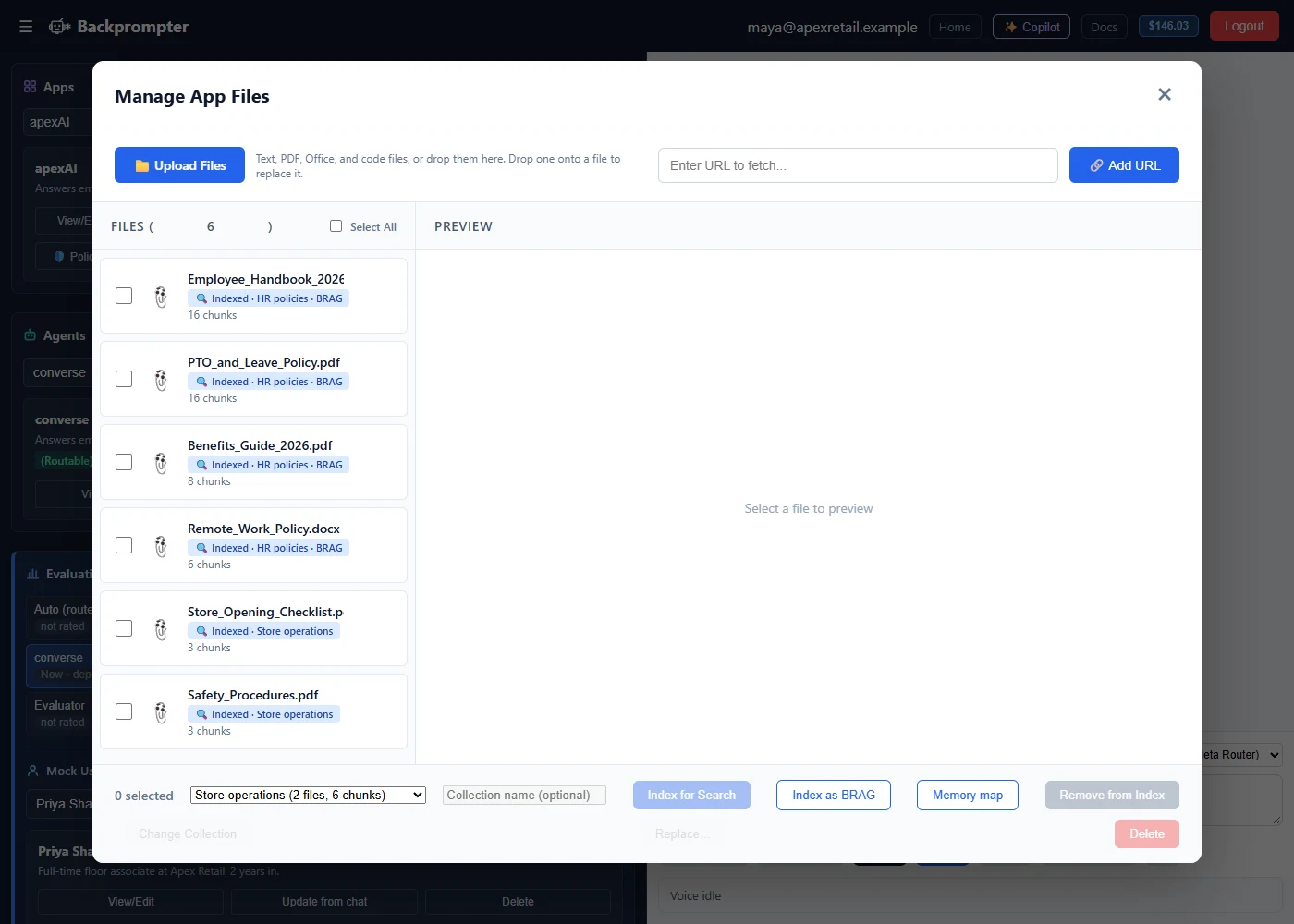
One click on the files you already have
- Click Index as BRAGNothing is uploaded again, at no extra charge.
- Test itRun your evaluations and compare.
- Ship itNo change to your app.
On the Teams and Enterprise plans. Pricing